
The To Do List (located on the Dashboard) provides the currently logged in user with a list of contracts requiring some form of action to be undertaken. The To Do List section of the Dashboard is displayed below.
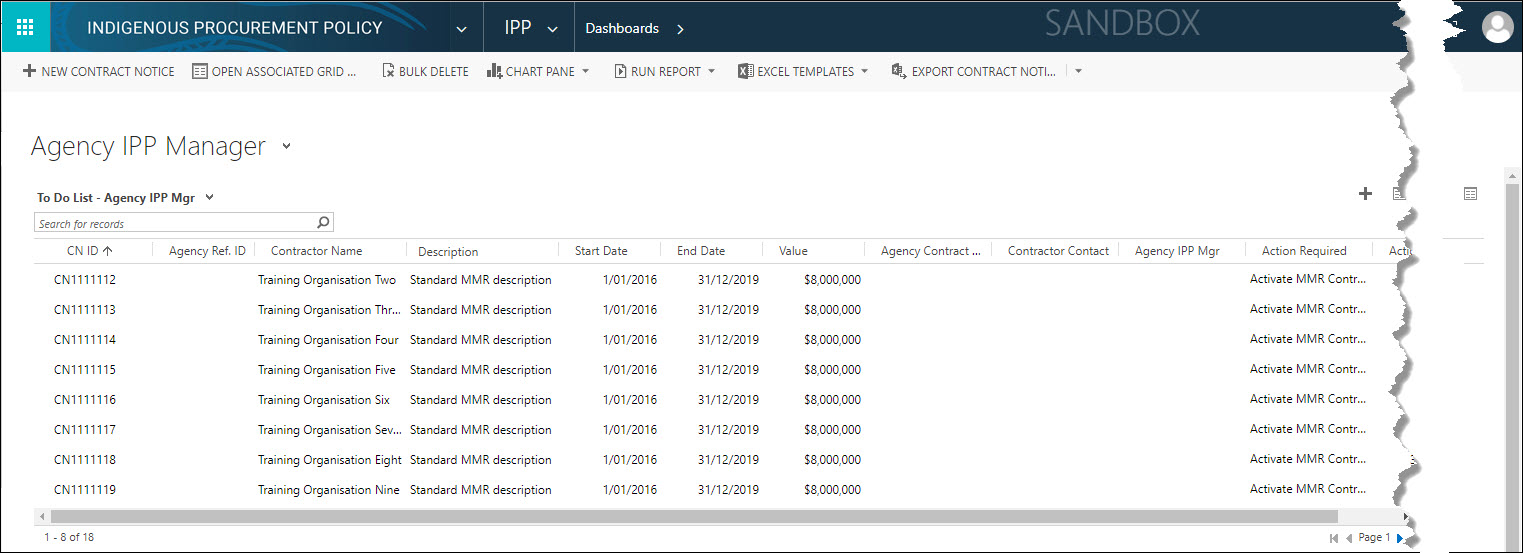
The following table provides the list of actions required that will display in the To Do List, based on the currently logged in user's security role.
| Security Role | To Do List | Action Required |
|---|---|---|
Portfolio IPP Manager (PIM) | To Do List - Portfolio IPP Mgr |
|
| Agency IPP Manager (AIM) | To Do List - Agency IPP Mgr |
|
| Agency Contract Manager (ACM) | To Do List - Agency Contract Mgr |
|
 Accessing contracts from the To Do List is the most efficient method to locate contracts that have an action due or outstanding.
A list of actions (in process flow stage order) required to be completed from the To Do List are provided in the table below.
| Action Required | Security Role | Action to perform | Action Due Date |
|---|---|---|---|
| Assign Agency | IPP Business Administrator (IBA) | If the AusTender upload process was unable to determine the awarding agency for a contract, the IBA must update the contract with correct agency. Once an agency has been assigned, one of the AIM(s) for the agency can determine if the contract is a MMR contract and if so, activate it within Stage 1-Activate MMR Contract. | Contract record creation + 7 days |
| Activate MMR Contract | Agency IPP Manager | Opens the contract record at Stage 1-Activate MMR Contract | Contract record creation + 7 days OR Contract Change Date + 7 days |
| Add Contact Details | Agency Contract Manager | Opens the contract record at Stage 2-Contact Details | Activate MMR Contract stage complete + 7 days |
| Add Assessment Details | Agency Contract Manager | Opens the contract record at Stage 3-Assessment Setup | Contact Details stage complete + 3 days |
| Acknowledge Quarterly Performance Report | Agency Contract Manager | Opens the contract record at Stage 4-Review Quarterly Performance | QPR submission date + 7 days |
| Final Assessment Due | Agency Contract Manager | Opens the contract record at Stage 5-Final Assessment | Quarterly Performance Reporting stage complete + 7 days |
| Acknowledge Contract Assessment | Contractor | Opens the contract record at Stage 6-Contractor Acknowledgement | Final Assessment stage complete + 7 days |
| Agency Sign-off of Assessment | Agency IPP Manager | Opens the contract record at Stage 7-Agency Sign-Off | Contractor Acknowledgement stage complete + 7 days |
Prepare, Review and Submit QPR actions display in the Contractor Portal To Do List.
Refer to To Do List - Action Contract for further details on how to action a contract record from the To Do List.